


Astrology in a trading app
Trade your zodiac on the fomo app


 app
app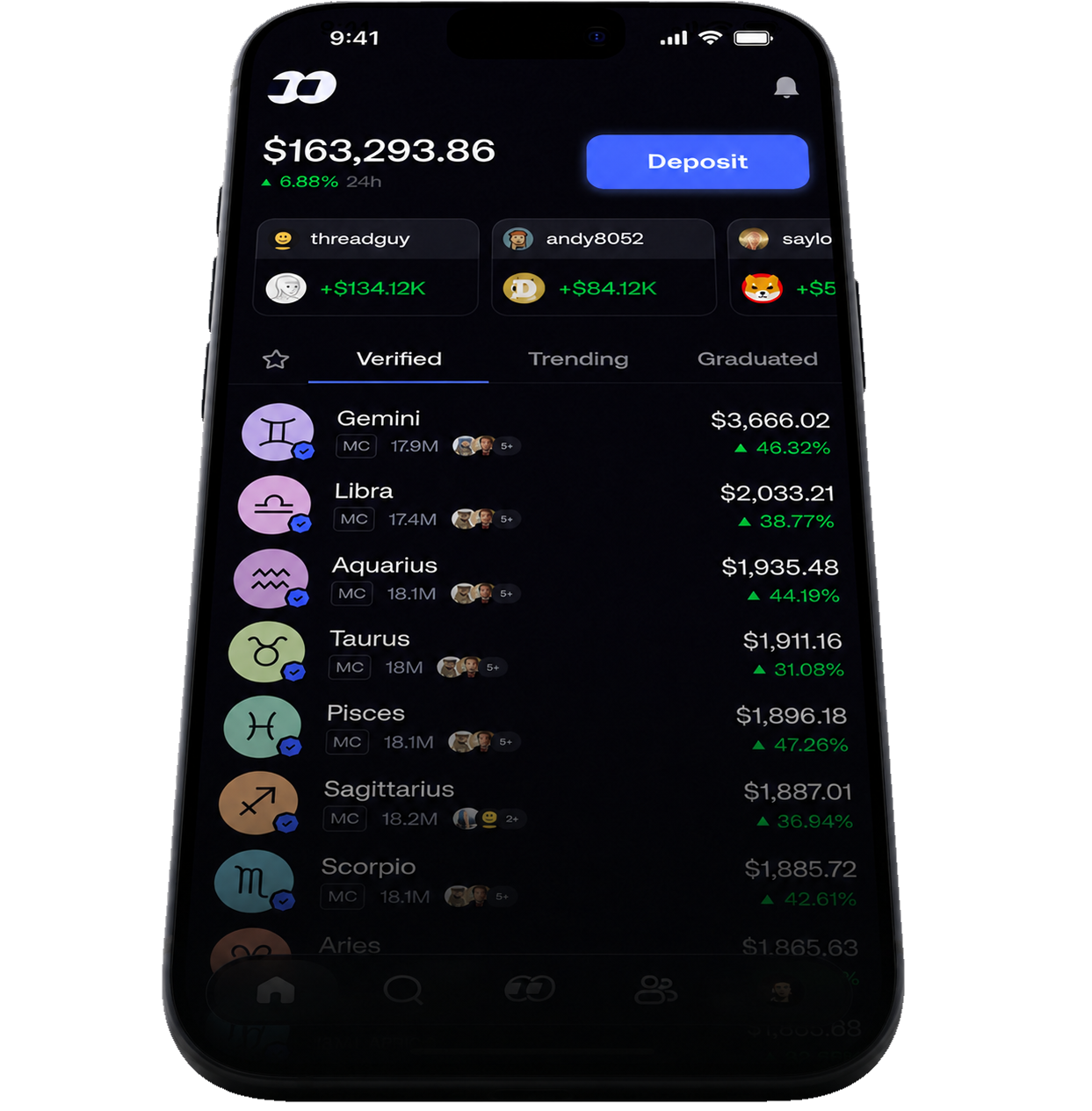
fomo is a free trading app for iPhone, Android, and the web. All twelve zodiac signs are on it: buy yours in a few taps, follow your friends, and see what they are trading.


Or on a computer:fomo.family in a browser ↗


Stay in the loop
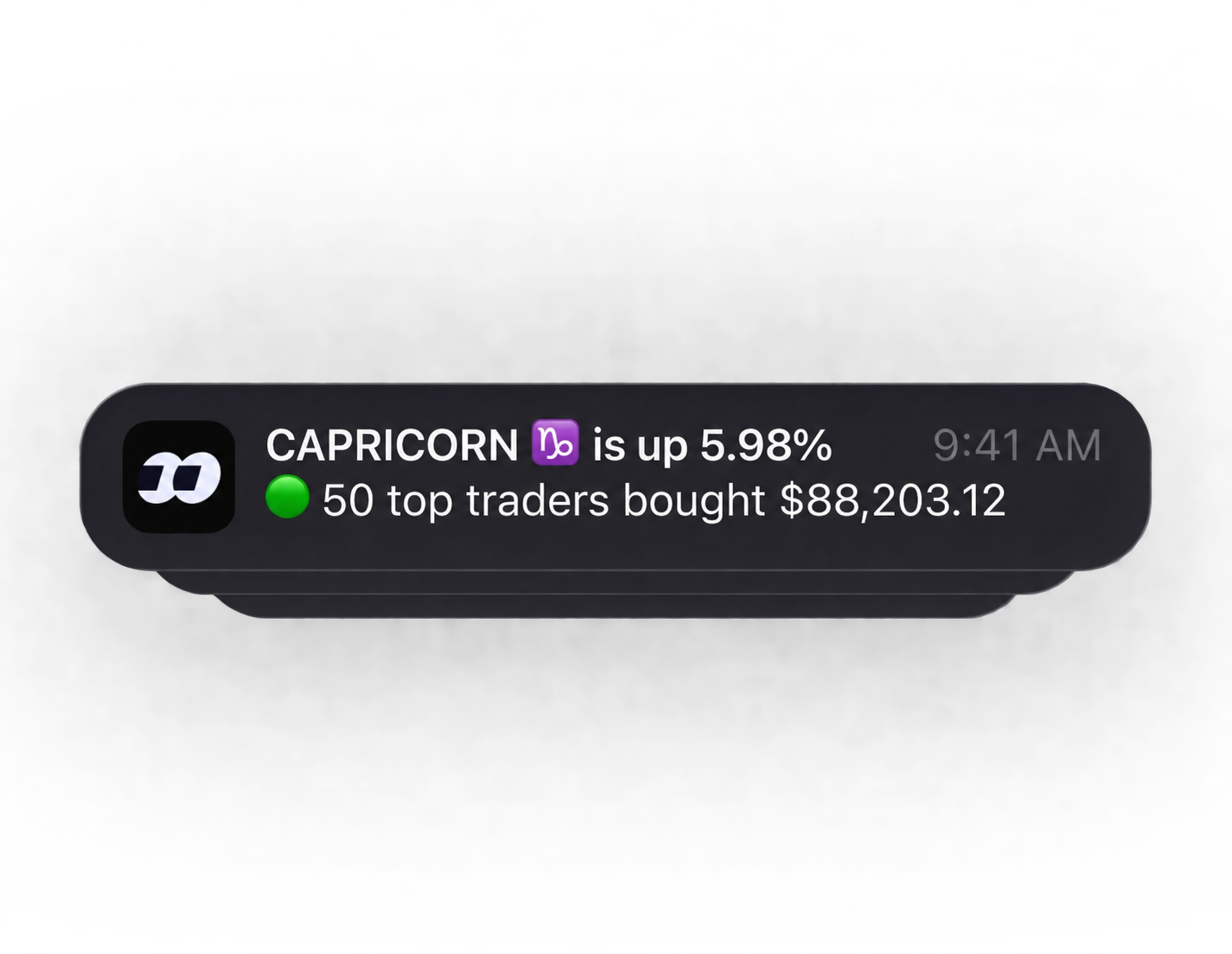
Alerts when your sign moves.
fomo sends price alerts like this one for the Zodiacs you watch, so you hear about a move without keeping a chart open.
Three steps
How it works
From download to your first sign in a few minutes. Nobody ever needs your recovery phrase.
- 01
Get the app
Download fomo from the App Store or Google Play, or open fomo.family in a browser. Sign in with an email address or Apple ID; fomo sets up the wallet inside the app.
Get the app ↑ - 02
Add funds
Apple Pay where it is offered, or send money in from a wallet or exchange you already use. Start with a small amount and add more once it lands.
- 03
Open your sign
Tap your sign below and it opens straight in fomo, the real one, so you never have to pick it out of a search list. Read the screen, then buy.
Choose a sign ↓
Inside the app
This is what fomo looks like.
A short recording from the app: a Zodiac’s sheet with its chart and your position, the list of all twelve, and the buy and sell buttons at the foot of every sheet.
Choose a sign ↓
Not sure which one is yours?
Find your sign by birthday.
Pick the month and day. You get your sign with its latest figures and a link that opens it in the fomo app.
Every sign, one tap
Choose your sign
Tap a sign and it opens in fomo, ready to buy. Prices here are from 21 October; the app shows them live.
Aries
Mar 21 – Apr 19
- Price
- $0.000073
- 24h
- ▲ 0.20%
- Market cap
- $73.2K
Taurus
Apr 20 – May 20
- Price
- $0.000071
- 24h
- ▲ 0.90%
- Market cap
- $70.9K

Gemini
May 21 – Jun 20
- Price
- $0.000185
- 24h
- ▲ 1.33%
- Market cap
- $185.3K

Cancer
Jun 21 – Jul 22
- Price
- $0.000069
- 24h
- ▲ 1.14%
- Market cap
- $69.4K

Leo
Jul 23 – Aug 22
- Price
- $0.000062
- 24h
- ▲ 0.92%
- Market cap
- $62.3K

Virgo
Aug 23 – Sep 22
- Price
- $0.000061
- 24h
- ▼ 1.16%
- Market cap
- $60.7K

Libra
Sep 23 – Oct 22
- Price
- $0.000078
- 24h
- ▲ 1.58%
- Market cap
- $77.8K
Scorpio
Oct 23 – Nov 21
- Price
- —
- 24h
- —
- Market cap
- —
Sagittarius
Nov 22 – Dec 21
- Price
- $0.000061
- 24h
- ▲ 1.92%
- Market cap
- $61.4K
Capricorn
Dec 22 – Jan 19
- Price
- —
- 24h
- —
- Market cap
- —

Aquarius
Jan 20 – Feb 18
- Price
- $0.000092
- 24h
- —
- Market cap
- $92.2K
Pisces
Feb 19 – Mar 20
- Price
- $0.000061
- 24h
- —
- Market cap
- $60.9K
Prices and the 14-day lines: DexScreener, read 2026-10-21 00:07 UTC. fomo is its own app; read what is on its screen before you confirm anything.
Before you start
What fomo is, and what it is not
An independent app
fomo is made by FOMO Labs Inc. It is not part of Zodiacs.org, which has no referral deal with fomo and earns nothing when you trade there.
The real twelve
The links on this page open the twelve Zodiacs that Zodiacs.org keeps on record, so you get the real ones and not a lookalike. A record is not approval by a regulator, wallet, or exchange.
Real money, real risk
Zodiac tokens are speculative and thinly traded. Prices move quickly, liquidity can disappear, and you can lose everything you spend. Nothing here is financial advice, and astrology does not predict prices.
Your account, and support from fomo
fomo is rated 18+ and may not be available where you live. Read fomo’s terms and fees inside the app, keep your sign-in details private, and take account questions to fomo, not to Zodiacs.org.
Questions people ask
Do I need a crypto wallet first?
No. fomo sets up a wallet inside the app when you sign in. If you already use Phantom, Solflare, or an exchange, you can move USDC or SOL into fomo from there.
Is fomo free?
The app is free to download. fomo charges its own trading fees, shown before you confirm a trade. Zodiacs.org adds nothing and receives nothing.
Which sign should I buy?
That is your call, and this page does not make it for you. Most people start with their own sign. Spend only what you can afford to lose.
Can I use fomo on a computer?
Yes. fomo.family runs in a browser and syncs with the phone app, so a watchlist you build on one shows up on the other.
Start with your own sign
Your sign is waiting.
Get the app, add a little, and open your sign.
The social part
Trade alongside the people you follow.
fomo is a social app before it is a trading app: a feed of what your friends and favourite traders buy, profiles that show how they are doing, a thesis attached to each trade, and one balance that works across chains.
Follow your friends
Add the people you trust and the traders you rate, or start from the leaderboard. Their buys and sells arrive in your feed as they happen, with how each of them is doing.
See who is in your sign
Open any Zodiac to see who holds it, what they paid, and what they said when they bought. Open a friend to see which Zodiacs they are trading.
Write your thesis
When you buy, say why. It posts with the trade, so the people who follow you get the reasoning and not only the ticker.
One balance works everywhere fomo trades: Solana, where the Zodiacs live, plus Base, Ethereum, BNB Chain, Robinhood Chain and Monad. Moving between them is one step, with nothing to bridge and no gas to manage.